

You might have set your Google Ads live, but you’re not entirely sure if it’s actually running or not.
This is one of the most common questions I get from business owners. You’ve launched your campaign, you’re spending money, but you’re thinking:
“Is my ad even showing?”
In this blog post, I’m going to tell you exactly how you can find out whether your Google ad is running properly, and what to check before you start worrying.
1. Use the Ad Preview and Diagnosis Tool
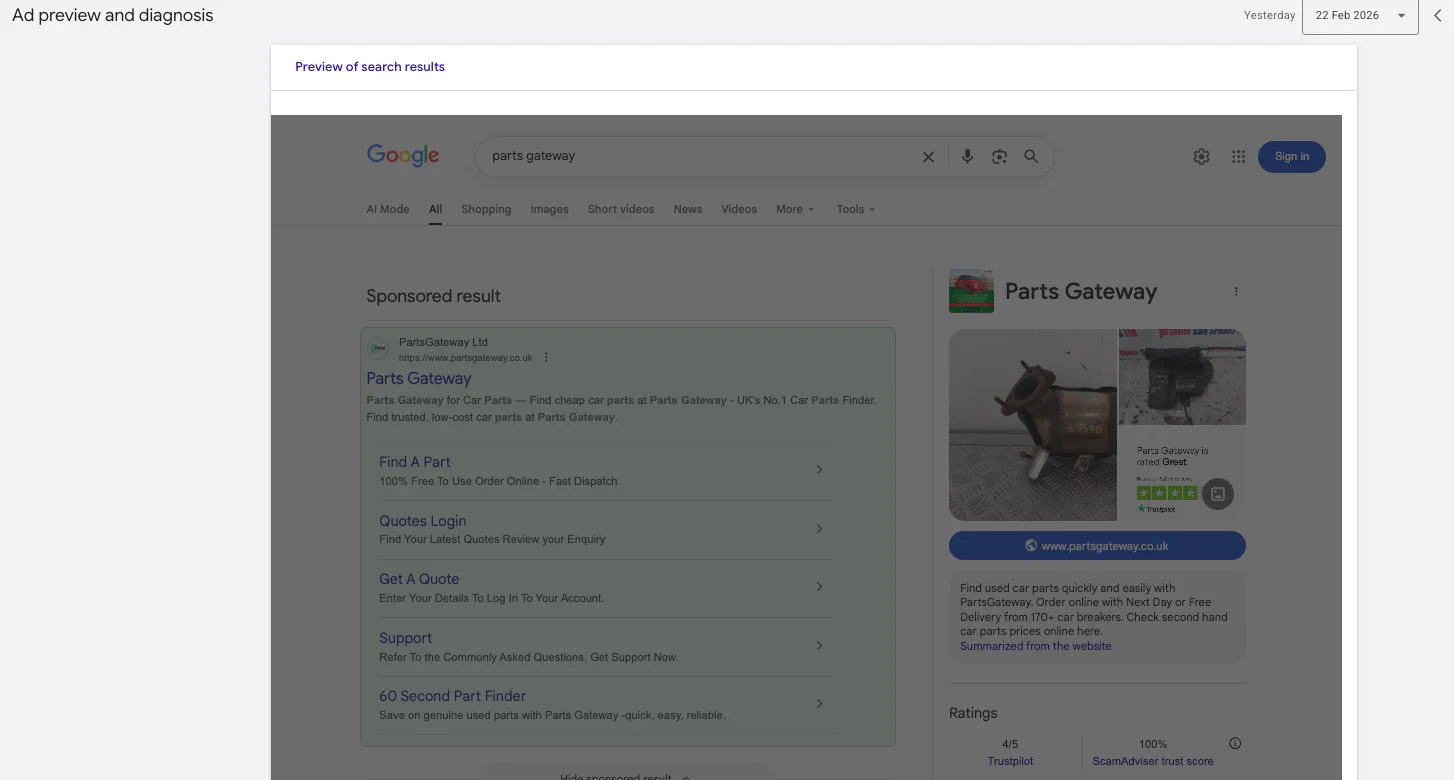
The first thing I recommend is using the Ad Preview and Diagnosis Tool inside Google Ads. This is the most accurate way to check if your ad is eligible to show.
Here’s how to find it:
Go to Tools and Settings
Click on Troubleshooting
Select Ad Preview and Diagnosis
Inside this tool, you can:
Choose your target location
Select the device type
Enter the keyword you want to check
Choose the language
For example, if you’re targeting Manchester, you can select that location and enter a keyword your ad should trigger for.
If everything is set up correctly, Google will show you a preview of your ad and confirm whether it’s eligible to appear.
If it isn’t showing, the tool will usually tell you why. Common reasons include:
Low search volume
Budget limitations
Disapproved ads
Low Ad Rank
This tool is far better than repeatedly Googling your own keywords.
2. Check Your Impressions Column
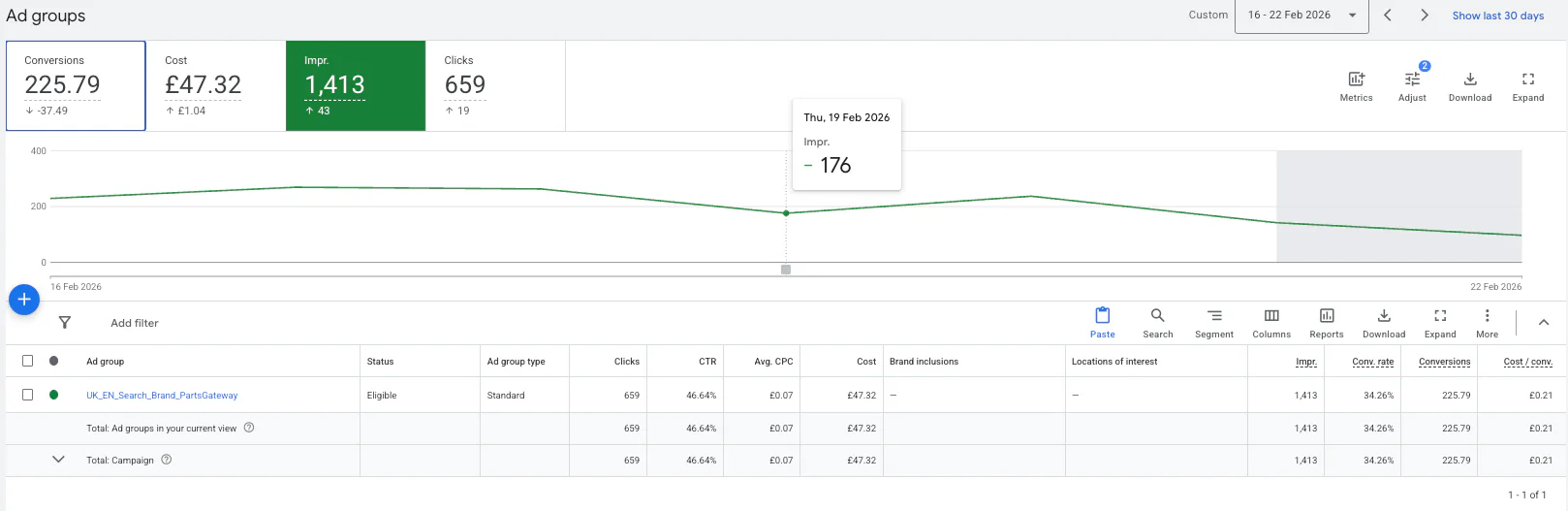
Another very simple way to confirm your Google ad is running is by looking at Impressions inside your campaign.
Impressions mean the number of times your ad has been shown on the Google Ads network. In simple terms, it’s how often your ad has appeared in search results or across placements.
If your campaign is receiving impressions, it means:
Your ad is eligible
Your targeting is working
Google is serving your ad
Even if you haven’t had clicks yet, impressions are a strong sign that your ads are running.
To check this:
Go to your campaign view
Make sure the Impressions column is visible
Look at today’s data or a recent date range
If impressions are increasing, your ad is live.
If impressions are zero, something is preventing your ad from showing.
3. Do a Manual Search (The Right Way)
One of the quickest checks is simply doing a manual search.
However, you need to do it properly.
If you just Google your keyword repeatedly in a normal browser, Google may stop showing you your own ad. This happens because:
Google thinks you’re not a genuine potential customer
You haven’t clicked the ad
You keep searching the same term
Instead, do this:
Open an incognito window
Search for your target keyword
Make sure you're physically within your targeted location
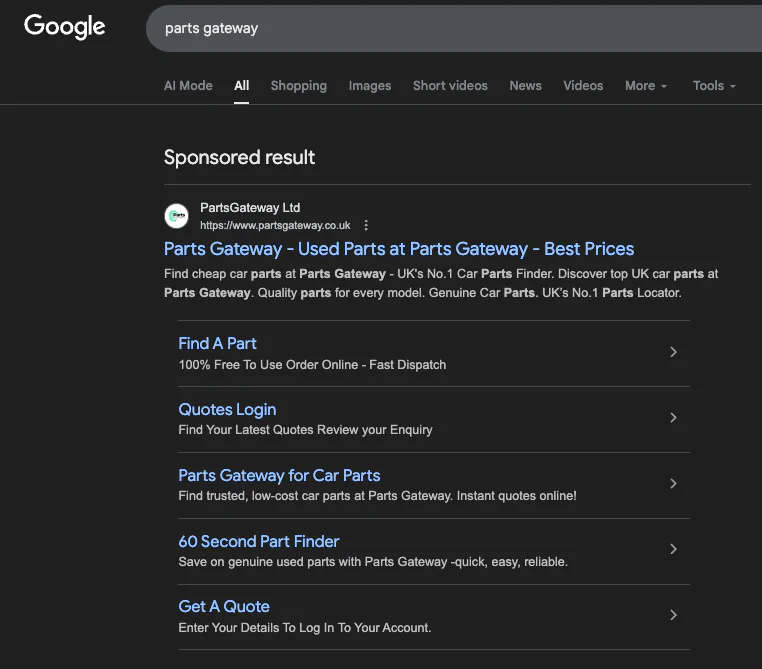
You should see your ad appear if everything is working.
That said, this method isn’t always reliable. Just because you don’t see your ad once doesn’t mean it’s not running. Your ad might not show due to:
Budget pacing
Auction competition
Ad rotation
Device targeting differences
This is why I always say the Ad Preview Tool and impressions data are more accurate than manual searches.
Why Your Ad Might Not Be Showing
If you’ve checked everything and still don’t see your ad, here are some common causes:
Your budget is too low
Your bids aren’t competitive
Your quality score is poor
Your ads have been disapproved
Your campaign is paused
Always check your campaign status first. It sounds obvious, but I’ve seen campaigns accidentally paused more times than you’d think.
Final Thoughts
If you’re wondering how do I know my Google ad is running, the answer is straightforward:
Use the Ad Preview and Diagnosis Tool
Check your impressions
Do a manual search in incognito
If you’re getting impressions, your ad is running. If you’re not, there’s a reason, and it can usually be fixed.
Google Ads can be incredibly powerful when set up correctly, but it does require proper monitoring and understanding of how the system works.
If you're interested in professional PPC management to grow your business, feel free to get in touch via my contact page at jonnyswiftppc.com/contact. I'd be happy to discuss how PPC can work for you.