

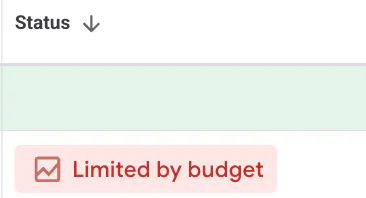
If you're running a Google Ads campaign, you've probably seen the big red warning saying your campaign is “Limited by budget”.
For a lot of business owners, it looks alarming. Naturally, people assume something is wrong with their account or that their ads have stopped working properly.
In reality, limited by budget is one of the most common Google Ads statuses, and in many cases, it is not necessarily a bad thing.
In this guide, I’ll explain exactly what limited by budget means on Google Ads, when you should be concerned, and what you can do to improve the situation without simply throwing more money at your campaigns.
What Does Limited by Budget Mean on Google Ads?
Limited by budget on Google Ads means exactly what it sounds like.
Your average daily budget is restricting how often your adverts can appear. It does not mean Google has reached a fixed daily spending ceiling, or that every extra click would be profitable.
For example, if you set a campaign budget at £100 per day, Google may consistently spend close to that full amount every single day. The platform is essentially telling you:
“Based on current search demand and performance, this campaign could spend more money and potentially generate more conversions.”
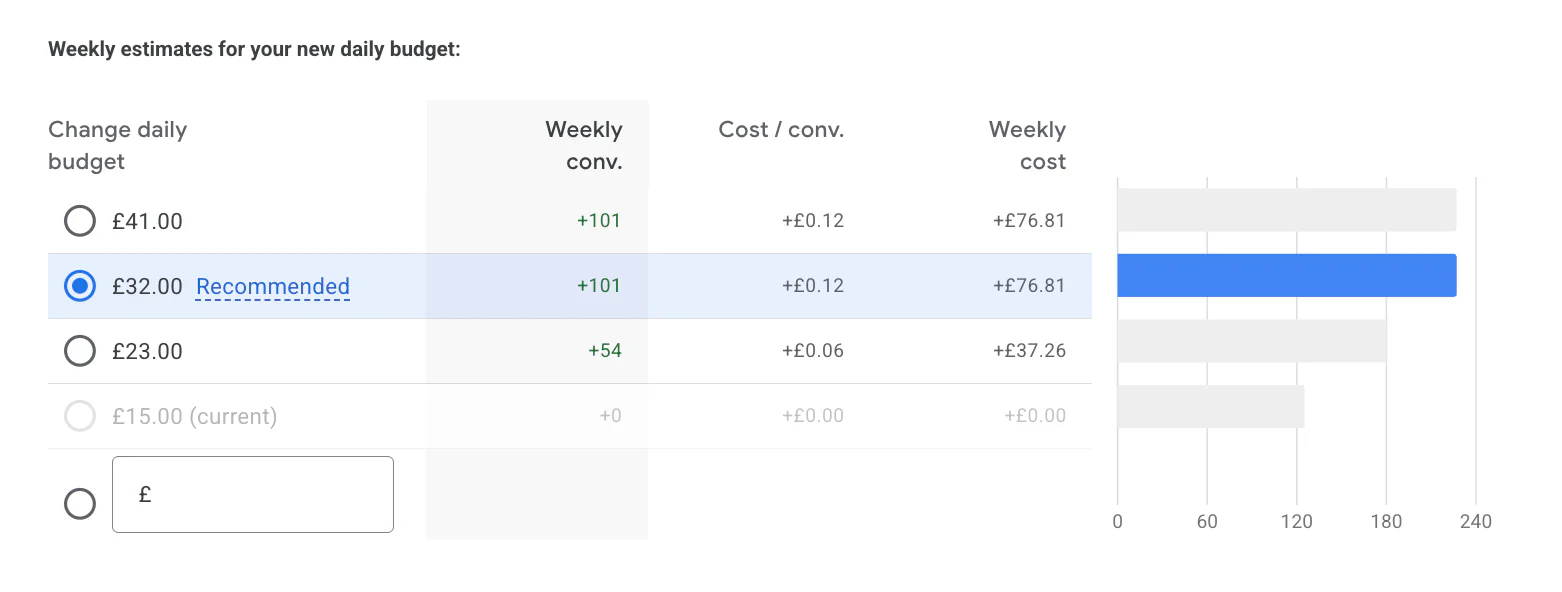
If you click into the limited by budget notification inside Google Ads, Google will usually provide:
A recommended budget increase
Estimated additional clicks
Estimated extra conversions
Forecasted weekly spend
These estimates are based on current campaign performance and search volume.
In simple terms, Google believes there is more traffic available than your current budget allows you to capture.
Check the Spending Limit Before Increasing It
For most campaigns, an average daily budget can allow up to twice that amount to be spent on a day. With an unchanged budget for a full month, the usual monthly charging limit is 30.4 times the daily amount.
Check Google’s budget guidance, then work out whether you can afford the new monthly commitment. Treat the suggested extra conversions as a forecast, rather than a promise.
Is Limited by Budget a Bad Thing?
Not always.
This is where many businesses misunderstand the warning.
Limited by budget does not automatically mean your campaign is failing. In fact, it often appears on campaigns that are performing well.
If your campaign is profitable and generating good-quality leads or sales, seeing limited by budget can actually indicate growth potential.
However, whether it matters depends entirely on:
Your profitability
Your margins
Your lead handling capacity
Your business goals
Your current return on ad spend
For example:
A local service business fully booked for the next two months may not need more leads
An ecommerce business with strong margins may want to scale aggressively
A startup with tight cash flow may need to control spend carefully
The key thing to understand is this:
Just because Google says you can spend more money does not mean you should.
Google’s recommendations are designed to increase activity on the platform. Your focus should always be profitability first.
How to Stop the Limited by Budget Status
There are several ways to remove the limited by budget warning.
Some are sensible. Some are not.
1. Increase Your Budget
This is the obvious and easiest option.
If your campaigns are profitable and consistently generating strong leads or sales, increasing your budget can help you scale further.
In many cases, increasing spend means:
More impressions
More clicks
More conversions
More overall revenue
However, it is important to understand that increasing budget can also increase:
Cost per click
Cost per conversion
Overall ad spend risk
Scaling Google Ads is rarely perfectly linear.
A campaign producing excellent results at £50 per day may become less efficient at £500 per day because you start reaching broader audiences or less qualified traffic.
That is why I always recommend scaling gradually and monitoring performance closely.
2. Reduce Your Keyword Targeting
Sometimes campaigns become limited by budget simply because they are targeting too many keywords.
This is especially common with:
Broad match keywords
Large search campaigns
Poorly structured accounts
Generic search terms
Reducing irrelevant traffic can help your budget stretch further.
For example, instead of targeting broad phrases like:
“plumber”
“marketing agency”
“gym”
You may focus on:
“emergency plumber Manchester”
“Google Ads agency for ecommerce”
“24 hour gym near me”
This usually improves traffic quality while reducing wasted spend.
3. Improve Your Ad Efficiency
A campaign can hit budget limits faster if it is inefficient.
Common causes include:
Weak ad copy
Low conversion rates
Poor landing pages
Irrelevant search terms
Low Quality Scores
Improving campaign efficiency can reduce wasted spend and make your existing budget work harder.
Some quick wins include:
Adding negative keywords
Improving landing page speed
Tightening location targeting
Testing better ad copy
Improving conversion tracking
In many cases, optimisation is more valuable than simply increasing budget.
Should You Always Increase Your Budget?
Definitely not.
This is one of the biggest mistakes businesses make with Google Ads.
A lot of advertisers assume:
“If I spend more, I’ll automatically make more.”
That is not always true.
Before increasing your budget, ask yourself:
Is the campaign already profitable?
If the answer is no, scaling a poor-performing campaign usually just loses money faster.
Can your business handle more leads or sales?
There is no point generating extra enquiries if your team cannot respond properly.
Are your margins healthy enough?
Some industries have extremely tight margins. Increasing spend may reduce profitability overall.
Are you relying too heavily on PPC?
Google Ads can work brilliantly, but I rarely recommend businesses rely solely on paid traffic.
Long-term growth normally works best when PPC runs alongside:
Organic content
Email marketing
Referral traffic
Social media marketing
A balanced strategy reduces risk and improves stability over time.
Why Google Pushes Budget Increases
It is important to understand that Google wants advertisers to spend more money.
That does not mean the recommendations are useless, but they should not be followed blindly.
Google’s automated recommendations are based heavily on increasing activity and capturing more traffic opportunities.
Sometimes the suggestions make sense.
Sometimes they absolutely do not.
I always recommend reviewing:
Cost per lead
Conversion quality
Revenue generated
Profit margins
Lead close rates
before increasing budget significantly.
The best Google Ads accounts are not necessarily the ones spending the most money.
They are the ones generating the most profitable return.
Also to back this up, if you get past Limited by Budget, you could see a Limited by Target warning. If you get this, I have a sister blog post on the issue.
Final Thoughts
Seeing the “Limited by budget” warning on Google Ads is extremely common, and in many cases, it simply means your campaign has the potential to scale further.
It is not automatically a problem.
If your campaigns are profitable, increasing your budget carefully may help you generate more leads or sales. However, blindly increasing spend without considering profitability, margins, and business capacity can quickly become expensive.
Sometimes the better solution is improving campaign efficiency rather than simply spending more money.
The important thing is understanding what the warning actually means so you can make informed decisions rather than reacting to the big red notification inside Google Ads.
If you're interested in professional PPC management to grow your business, feel free to get in touch via my contact page at jonnyswiftppc.com/contact. I'd be happy to discuss how PPC can work for you.
Related Google Ads Guides
If your campaign is being restricted by its budget or bidding settings, these guides may also help: