

If you're running a Google Ads account, you've probably heard people talking about Quality Score. You might even know it's something important, but then wonder where you actually find it inside Google Ads.
Don't worry, you're not alone. Google doesn't exactly make it obvious, and many advertisers have no idea where to locate it.
In this guide, I'll show you exactly how to find your Quality Score step by step, explain what it means, and why it can be a useful indicator of how well your keywords and ads are performing.
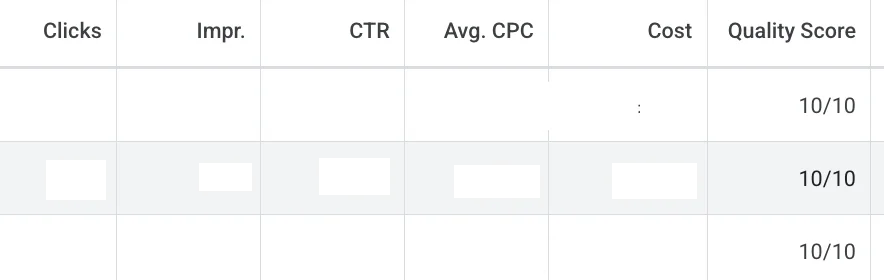
What Is Quality Score?
Quality Score is Google's rating of how relevant and useful your keywords, ads and landing pages are to users searching for your products or services.
Each keyword is given a score out of 10, where:
10/10 is excellent
1/10 means the keyword is performing poorly
Although Quality Score isn't the only metric that matters, it can have a significant impact on how efficiently your campaigns perform.
A higher Quality Score can often mean:
Lower cost per click (CPC)
Better ad positions
More clicks for the same budget
Improved return on your advertising spend
Google wants to show adverts that provide the best experience for users. If your keyword, advert and landing page are all highly relevant, Google is more likely to reward you with lower advertising costs.
For example, if your keyword has a Quality Score of 9 or 10, Google is effectively saying that people searching for that keyword are finding your advert highly relevant. Your click-through rate is likely better than competitors, users are engaging with your advert, and your landing page provides a good experience.
On the other hand, a keyword with a Quality Score of 2 or 3 is often a sign that improvements are needed.
That's why improving your Quality Score can help you generate more clicks and conversions without necessarily increasing your budget.
Where to Find Quality Score in Google Ads
Finding your Quality Score isn't difficult once you know where to look.
Follow these steps:
Open your Google Ads account.
Select the campaign you'd like to view.
From the left-hand menu, click Campaigns.
Expand Audiences, Keywords and Content.
Click Keywords.
At this stage, you probably won't see the Quality Score column unless you've already added it.
To display it:
Click Columns.
Select Modify Columns (or choose one of your existing column sets).
Use the search box and type Quality Score.
Tick the Quality Score column.
Click Apply.
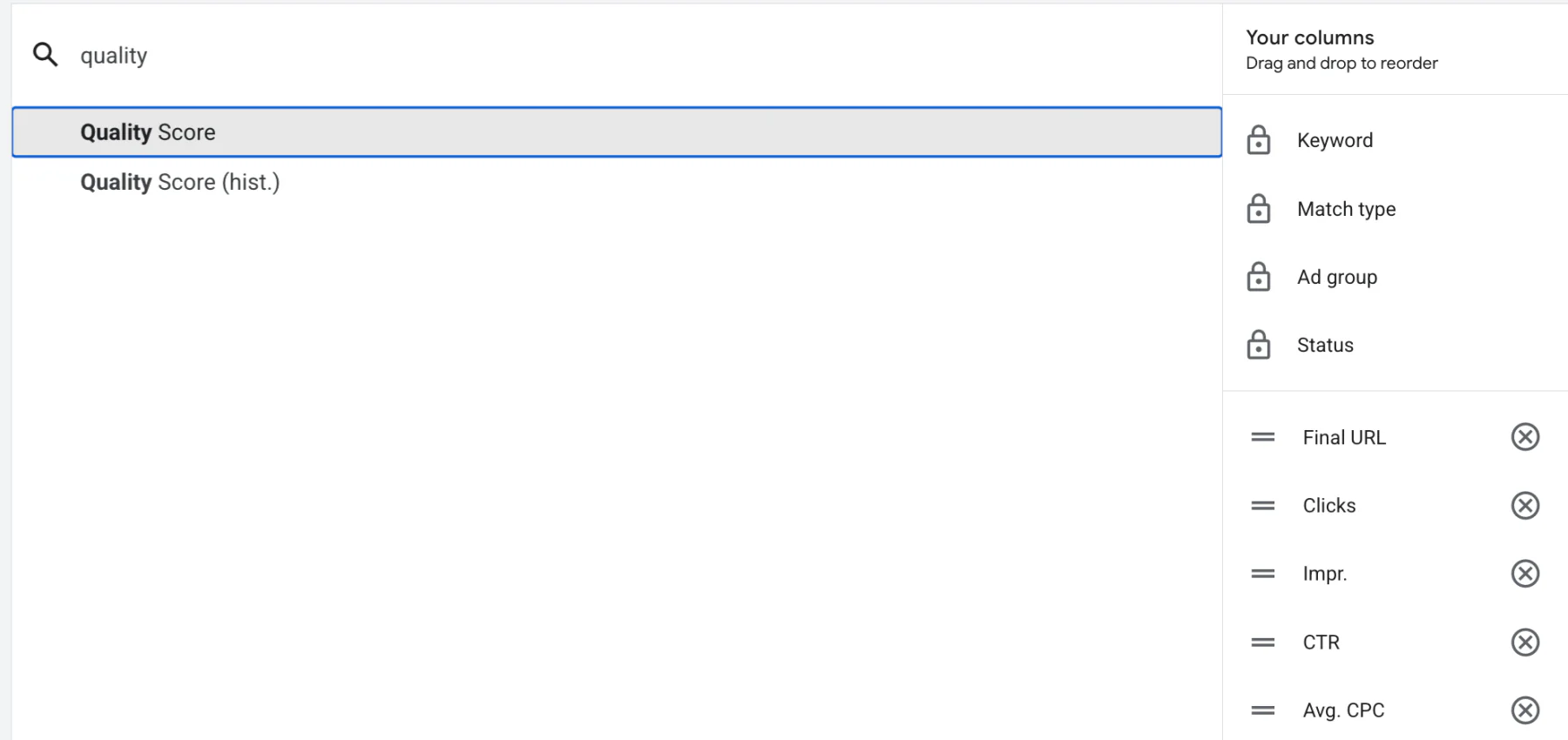
You'll now see a Quality Score displayed beside each keyword.
Remember, the closer the score is to 10, the better.
How to Improve Your Quality Score
There are several ways to improve your Quality Score, and making small improvements can often have a noticeable impact on campaign performance over time.
1. Improve Your Ad Copy
One of the biggest reasons for a low Quality Score is that your advert simply isn't relevant enough to the keyword you're targeting.
Ask yourself:
Does the keyword appear naturally in the advert?
Does the advert answer what the user is searching for?
Is the messaging clear and relevant?
If a keyword doesn't quite fit within an existing ad group, it may be worth creating a separate ad group or even its own campaign so you can write adverts specifically for that search term.
2. Improve Your Landing Page and Conversion Tracking
Your landing page also plays an important role.
Make sure users are landing on the most relevant page for the keyword they've searched for, rather than simply sending everyone to your homepage.
It's also important to ensure your conversion tracking is working correctly. Google uses many signals when assessing campaign quality, and accurate conversion data helps you understand what's actually performing well.
A good landing page should:
Match the advert's messaging
Load quickly
Be easy to navigate
Make it simple for visitors to convert
3. Review Poor Performing Keywords
Sometimes a keyword simply isn't the right fit for your business.
If you've got keywords with consistently low Quality Scores, very few conversions and poor overall performance, it may be worth pausing them.
Rather than trying to force every keyword to work, focus your budget on the keywords that generate the best results.
When making these decisions, don't just look at Quality Score on its own. Also consider:
Cost per conversion
Conversion volume
Return on ad spend (ROAS)
Overall profitability
Ultimately, business goals should always come first. A keyword with a slightly lower Quality Score that generates profitable sales is far more valuable than a keyword with a perfect score that never converts.
Should You Focus Only on Quality Score?
Quality Score is a useful metric, but it shouldn't become your only focus.
It's best used as a diagnostic tool to help identify areas that could be improved, such as ad relevance or landing page experience.
Your most important performance metrics will always be things like:
Cost per conversion
Conversion rate
ROAS
Overall return on investment
Think of Quality Score as one piece of the puzzle rather than the final measure of success.
Conclusion
Quality Score is one of the easiest metrics to overlook in Google Ads simply because it's hidden away by default. Once you know where to find it, however, it becomes a useful indicator of how relevant your keywords, adverts and landing pages are.
While achieving a higher Quality Score can often lead to lower costs and better ad performance, it should always be viewed alongside the metrics that really matter, such as conversions, cost per conversion and ROAS.
By regularly reviewing your Quality Scores, improving your ad copy, sending users to the most relevant landing pages and removing underperforming keywords where appropriate, you'll give your campaigns the best chance of performing efficiently.
If you're interested in professional PPC management to grow your business, feel free to get in touch via my contact page at jonnyswiftppc.com/contact. I'd be happy to discuss how Google Ads can work for your business.