

If you’ve started using Google Ads, or have run campaigns in the past, you’ve probably seen advice about choosing Maximise Clicks or Maximise Conversions.
Both are automated bidding strategies, but they tell Google to work towards different goals. One focuses on getting people to your website. The other focuses on getting those people to take an action, such as making a purchase or submitting an enquiry.
Between these two, I strongly recommend Maximise Conversions for most businesses looking for leads or sales, provided their conversion tracking is working correctly.
I’ve run hundreds of Google Ads campaigns, and my preference is to start with the outcome the business actually wants. However, that doesn’t mean you should immediately change a profitable campaign that uses Maximise Clicks.
In this guide, I’ll explain the difference, why I normally choose Maximise Conversions and when Maximise Clicks can still make sense. The comparison focuses on Search campaigns.
What is the difference between Maximise Clicks and Maximise Conversions?
The main difference is what Google is trying to achieve with your budget.
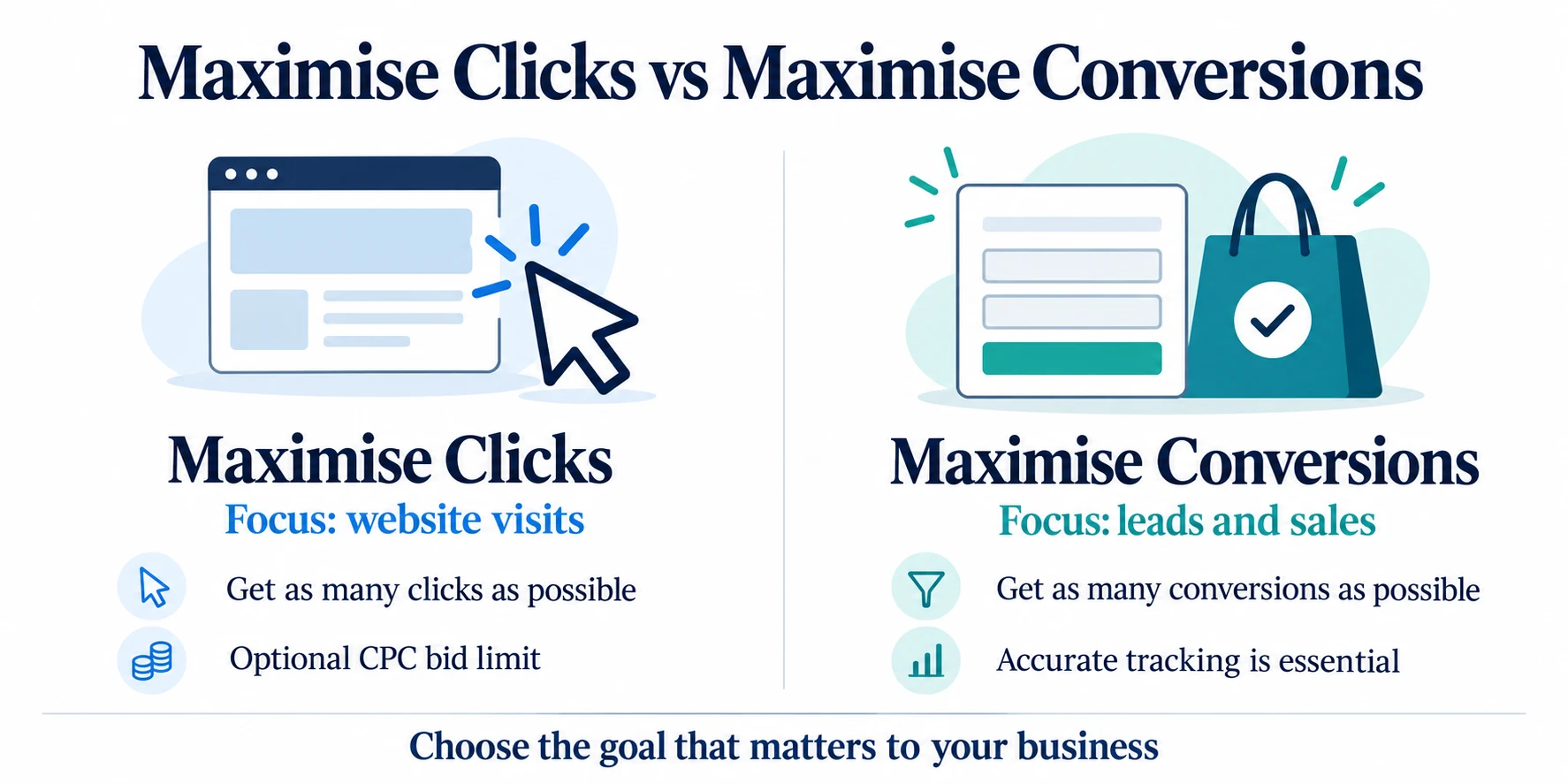
Maximise Clicks aims to get more website visits
Maximise Clicks tells Google to get as many clicks as possible within your budget.
For a Search campaign, you can also set a maximum cost-per-click bid limit to help control your bids. Setting this too low can restrict the traffic you receive, and applicable bid adjustments can increase bids above that limit. Google’s Maximise Clicks guidance explains how the strategy works.
It’s easy to see why this appeals to business owners. You spend money on advertising and see people arriving on your website.
Those visitors might read about your services, consider a purchase or convert straight away. Maximise Clicks can generate enquiries and sales.
However, conversions are not what the bidding strategy is optimising for. Its main objective is to get clicks.
Maximise Conversions aims to get more actions
Maximise Conversions tells Google to use your budget to get as many of your selected conversions as possible.
A conversion could be a completed enquiry form, a purchase or another action that matters to your business.
Rather than prioritising the number of visits, Google adjusts bids for each auction using signals that help it predict whether a click will lead to a conversion. It isn’t limited to finding people who have previously bought something through an advert. Google’s Smart Bidding guidance explains this approach.
You may get fewer clicks, or pay more for individual clicks, but the strategy is working towards conversions rather than traffic volume.
It also aims to spend your available budget. If your campaign currently spends much less than its budget, switching can increase spending. It does not guarantee profitable results. Google’s Maximise Conversions guidance covers these points.
Why I normally recommend Maximise Conversions
For most businesses, the reason to run Google Ads is to generate leads or sales.
More website visits can look encouraging, but they don’t necessarily mean the advertising is helping your business. If you get plenty of clicks and very few worthwhile enquiries, a low cost per click is only useful up to a point.
That is why I normally prefer Maximise Conversions.
Between these two strategies, it gives Google an objective that is closer to what you actually want: someone filling in your form or making a purchase.
You might have read advice suggesting that you should start with Maximise Clicks, build up some data and then switch to Maximise Conversions.
In my experience, that can be a slow way to approach a campaign when the goal was conversions from the beginning. My preference is to start with conversion-focused bidding once tracking is ready, rather than spend an initial period prioritising clicks.
This is my recommendation, rather than a rule that every account must follow. Starting with Maximise Conversions still requires patience, suitable targeting and a website that gives visitors a reason to enquire or buy.
What about a new account?
I also recommend considering Maximise Conversions for a new account, provided meaningful conversion tracking is in place.
A new campaign needs time to build a useful performance picture. Choosing a conversion-focused strategy doesn’t mean Google immediately knows exactly who your best customers are, or that the first few days will represent its longer-term results.
However, I would rather start working towards the business outcome I want than treat clicks as the main measure of success.
My guide to how long Google Ads take to work explains why early results need some context.
For e-commerce, there is also a distinction between getting more purchases and getting more purchase value. If orders have very different values, a value-based strategy may be more appropriate. That is a separate comparison from the two strategies covered here. Google’s value-based bidding guidance explains the difference.
Make sure your conversion tracking is right
Conversion tracking is especially important when you use Maximise Conversions.
You are asking Google to find more of the actions you have told it matter. If those actions don’t reflect your business goals, the campaign can work towards the wrong outcome.
For example, there is a clear difference between someone visiting your contact page and someone completing your enquiry form.
Both might be useful to measure, but they shouldn’t automatically carry the same importance in your bidding.
Before relying on Maximise Conversions, make sure:
- Your intended enquiry or purchase action records correctly.
- The same action isn’t accidentally counted more than once.
- Your campaign uses the conversion goals you actually want to optimise towards.
- Supporting actions don’t make the reported results look stronger than the real business results.
Incorrect tracking can make an account look better or worse than it is. It can also give Google misleading information about what a successful visit looks like.
If you’re unsure, start with my guide to testing Google Ads conversion tracking.
My explanation of primary and secondary conversions will also help you understand which actions are used for bidding and which are mainly there for observation.
When would I consider Target CPA?
Once a campaign is bringing in a reasonable number of conversions, I would consider Target CPA.
CPA means cost per action, or cost per acquisition. For a lead generation campaign, this is usually your cost per enquiry.
As a practical guideline, around 30 or more meaningful conversions per month is a point where I would consider introducing a target. That gives you a more useful basis for judging your existing cost per conversion.
This is my guideline, not a minimum requirement imposed by Google. Google says Target CPA can be used without conversion history, while recommending at least 30 conversions over the period used to evaluate performance. Google’s Target CPA guidance explains this distinction.
Your target should reflect what the campaign has achieved and what your business can afford. Setting an unrealistically low target can restrict the opportunities available to the campaign.
Target CPA aims for an average cost per conversion. It doesn’t mean every enquiry will cost exactly that amount.
Google is also updating its bidding labels: what was previously shown as Maximise Conversions with a Target CPA may now appear as Target CPA. The underlying bidding behaviour remains the same.
For more detail, read my guide to what tCPA means in Google Ads.
Is Maximise Clicks good for anything?
Yes. Although I normally recommend Maximise Conversions, I’ve seen accounts have success with Maximise Clicks.
If your campaign is profitable and bringing in good business, I’m not saying you should turn it off simply because it uses a different strategy from the one I usually recommend.
The advertising should work for your business. If Maximise Clicks is doing that, it deserves to be judged on those results.
It can also make sense when website traffic is genuinely the objective. For example, you might want people to read a particular piece of content, rather than expect an immediate enquiry or purchase.
The important thing is to distinguish between wanting visits and wanting customers.
If leads or sales are your objective, judge Maximise Clicks by the leads or sales it produces. More clicks alone don’t establish that it is the better strategy.
How to test Maximise Clicks against Maximise Conversions
If you already use Maximise Clicks and want to find out whether Maximise Conversions could perform better, you can run an A/B test.
For an eligible Search campaign, a Google Ads custom experiment lets you compare your existing bidding strategy with a different one. Google’s Experiments guidance explains the available experiment types.
A 50/50 split is a sensible way to give each version an opportunity to perform. Keep the conversion goals, ads, targeting and landing pages consistent so the bidding strategy is the main difference you are testing.
I would normally allow around one to three months, depending on budget and how quickly the campaign generates conversions.
However, elapsed time alone isn’t enough. A campaign with only a handful of conversions may still have too little information to identify a reliable winner. You also need to allow time for people to convert after clicking.
When comparing results, look at:
- How many meaningful conversions each version generates.
- The cost per conversion.
- Whether the enquiries are useful or the sales are profitable.
- How much each version spends.
Don’t choose a winner simply because it gets more clicks. Equally, more recorded conversions aren’t enough if those conversions don’t translate into worthwhile business.
Which bidding strategy should you choose?
Between Maximise Clicks and Maximise Conversions, I strongly recommend Maximise Conversions for most businesses whose main objective is leads or sales.
It tells Google to work towards the action you want someone to take, rather than prioritising the number of people who visit your website.
Get your conversion tracking right first, give the campaign enough time to produce useful data and judge it by what those conversions mean for your business.
If Maximise Clicks is already profitable, you don’t need to change it automatically. A controlled test can help you decide whether switching is worthwhile.
If you’d like help checking your bidding strategy and conversion tracking, you can request a free Google Ads audit.