

Search Partners is a setting in Google Ads that can quietly drain your budget without delivering strong results. When enabled, your search ads can appear on other search engines and websites that are part of Google’s partner network, rather than solely on Google itself.
In many cases, this traffic is lower intent and far less consistent than Google Search. As a result, you can end up paying for clicks that are unlikely to convert, while thinking your ads are only showing on Google.
As a digital marketing consultant with years of experience managing Google Ads, I recommend that most advertisers turn Search Partners off. Doing so ensures your budget is focused on high-intent users searching directly on Google.
Below is exactly how to turn off Search Partners in Google Ads, step by step.
How to Turn Off Search Partners
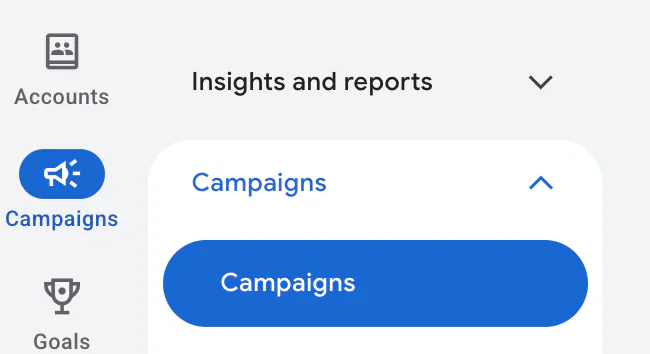
1. Go to Your Campaigns
Log into your Google Ads account and click Campaigns from the left-hand menu.
2. Select the Campaign and Open Settings
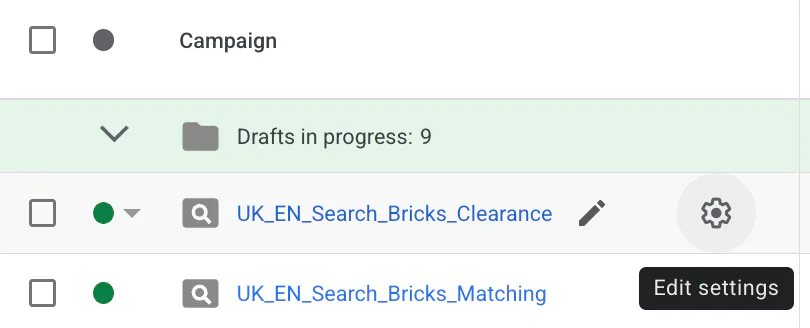
Scroll down and click on the campaign you want to turn Search Partners off for. Then click on the cog icon (Settings) and select Edit settings.
3. Open Networks
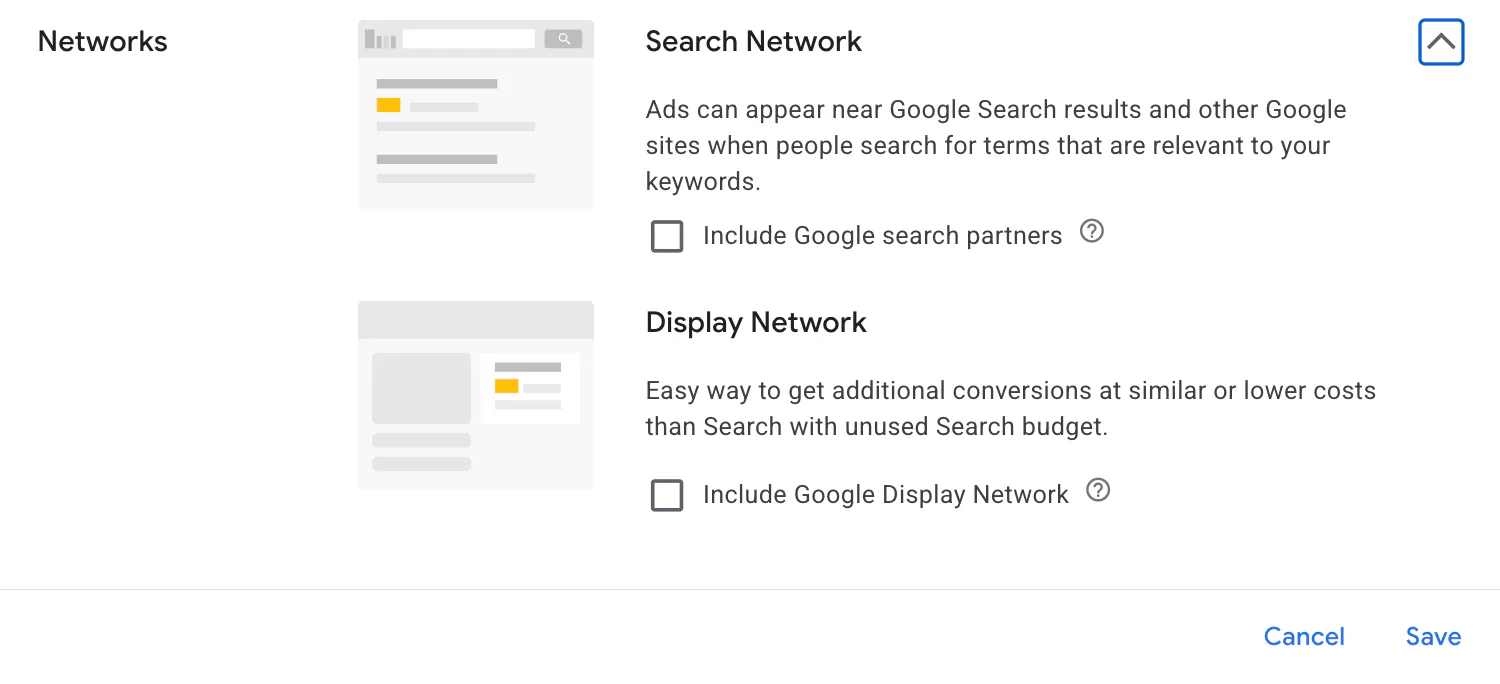
In the settings menu, scroll until you see Networks and click on it.

4. Untick Search Partners
You will now see Search Network, with an option that says Include Google search partners.
If this box is ticked, it means Search Partners are currently enabled.
To turn this off, simply untick the box and then click Save.
Once saved, you have successfully turned off Search Partners for that campaign. Your ads will now only appear on Google Search.
By switching off Search Partners, you can take better control of where your ads appear and ensure your budget is being spent on Google itself, rather than third-party websites you may not have knowingly chosen to advertise on.
If you are looking to get more from your Google Ads, I have helped both B2B and B2C clients turn underperforming campaigns into profitable ones. If you are interested, you can book a 30-minute chat with me via the Contact Me page.
Related Google Ads Guides
If you’re reviewing your campaign settings and trying to reduce wasted spend, read these guides next: